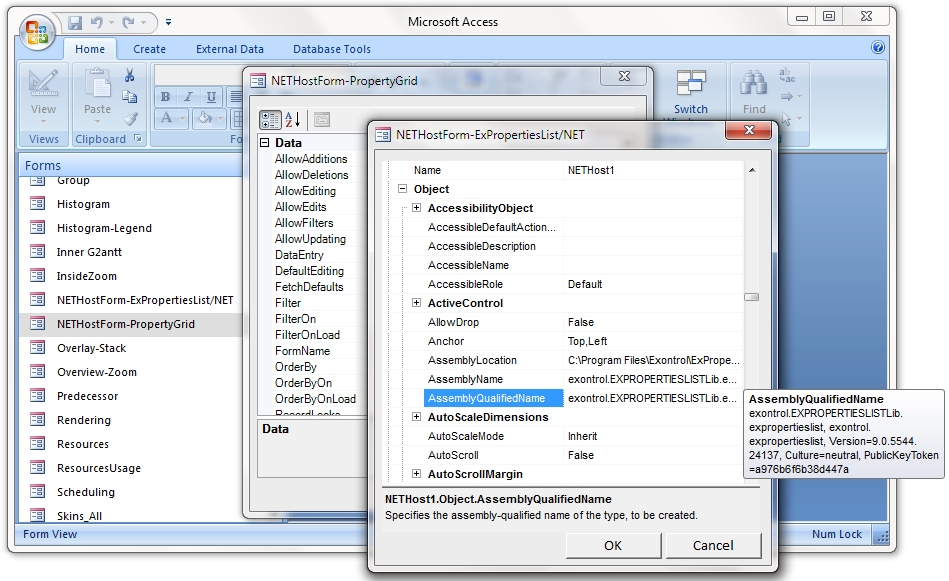
The Exontrol NETHost control enables seamless integration and display of any .NET object or Windows Forms UserControl within your COM-based projects, including Windows forms and dialogs. By specifying the fully qualified assembly path and type name, NETHost loads and renders the .NET component directly inside your application. For example, setting the NETHost.AssemblyQualifiedName property to
"System.Windows.Forms.MonthCalendar, System.Windows.Forms, Version=2.0.0.0, Culture=neutral,
PublicKeyToken=b77a5c561934e089" will embed the standard .NET MonthCalendar control into your window, form, or dialog.
Features include:
1. Hosting & Integration
- Ability to host almost any .NET component within your COM framework
- Ability to use/display any .NET component on HTML pages
2. Event & Error Handling
- Events support: events from hosted components fire through HostEvent notifications
- Runtime error and exception handling of hosted components
3. Scripting & Code Execution
- X-Script/Template support for .NET objects
- Ability to execute code from strings or x-code
The object supports the following properties and methods:
| | Name | Description | |
| | AsBoolean | Returns a boolean value that represents the current object's value. | |
| | AsDate | Returns a date value that represents the current object's value. | |
| | AsDouble | Returns a numeric value that represents the current object's value. | |
| | AsInt | Returns an integer value that represents the current object's value. | |
| | AssemblyVersion | Indicates the version of the assembly being loaded. | |
| | AsString | Returns a string that represents the current object's value. | |
| | Item | Executes the template and returns the result. | |
| | SetTemplateDef | Defines inside variables for the next Template/ExecuteTemplate call. | |
| | SetValue | Specifies the value of the object. | |
| | Template | Executes the x-script code. | |
| | TemplateError | Indicates the error code of the last Template call. | |
| | TemplateException | Indicates the detailed information about the exception that occurs. | |
| | TemplateResult | Indicates the result of the last Template call. | |
| | TemplateThrowError | Specifies whether the execution of the template stops once an error occurs. | |
| | Type | Indicates the type of the object's value. | |
| | Value | Specifies the value of the object. | |
| | VtType | Indicates the type/vartype of the object's value. | |

